
What is ECDA LLM?
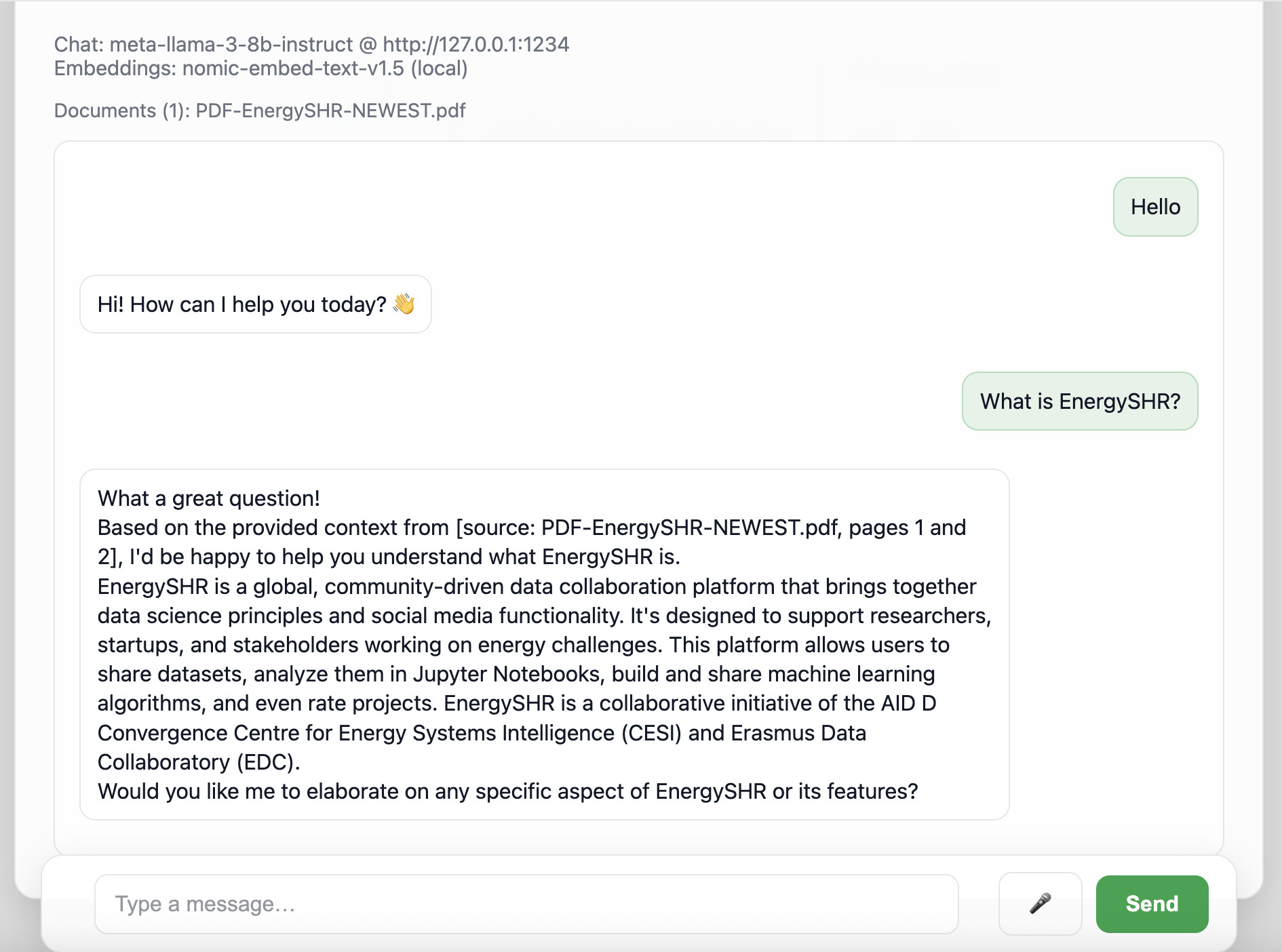
ECDA LLM is an accessible chatbot tool designed to help individuals interact with documents securely and efficiently. Developed as a practical resource for professionals, researchers, students and the wider public, it allows users to upload files and ask questions about them. Whether reviewing long reports, analysing academic papers, or organizing study notes, this tool is designed to be easily used by anyone, regardless of technical background.
The best part? Privacy and Security. ECDA LLM runs locally on the user’s computer, which means means confidential research or private documents can be uploaded safely. No third party will ever have access to the uploaded files or the questions asked. The chatbot connects to a Large Language Model (LLM) through an API. Individuals are free to enter a local or external API key, allowing them to choose the exact AI setup that best fits specific project needs and preferences.
Other features of ECDA LLM include:
- Energy Efficient Technology: ECDA LLM uses Retrevial Augmented Generation (RAG). Instead of continously retraining the AI Model on new data (a very computationally expensive approach), RAG searches through the uploaded documents to find specific information. This makes ECDA LLM more sustainable and energy efficient compared to other AI models.
- Voice recognition: You can chat with the AI using your voice
Impact
The local chatbot has multiple advantages. The privacy and security of users makes their private information safe and protects sensitive target groups like the youth or less digitally literate adults. The use of RAG makes the tool more energy efficient and sustainable, which is crucial in the current climate crisis. Finally, the user-friendly design of ECDA LLM makes it accessible to a wide audience, democratising access to AI technology. The developers are discovering more use cases for the tool, and are excited to see how the tool will be used in the future!
How to use ECDA LLM?
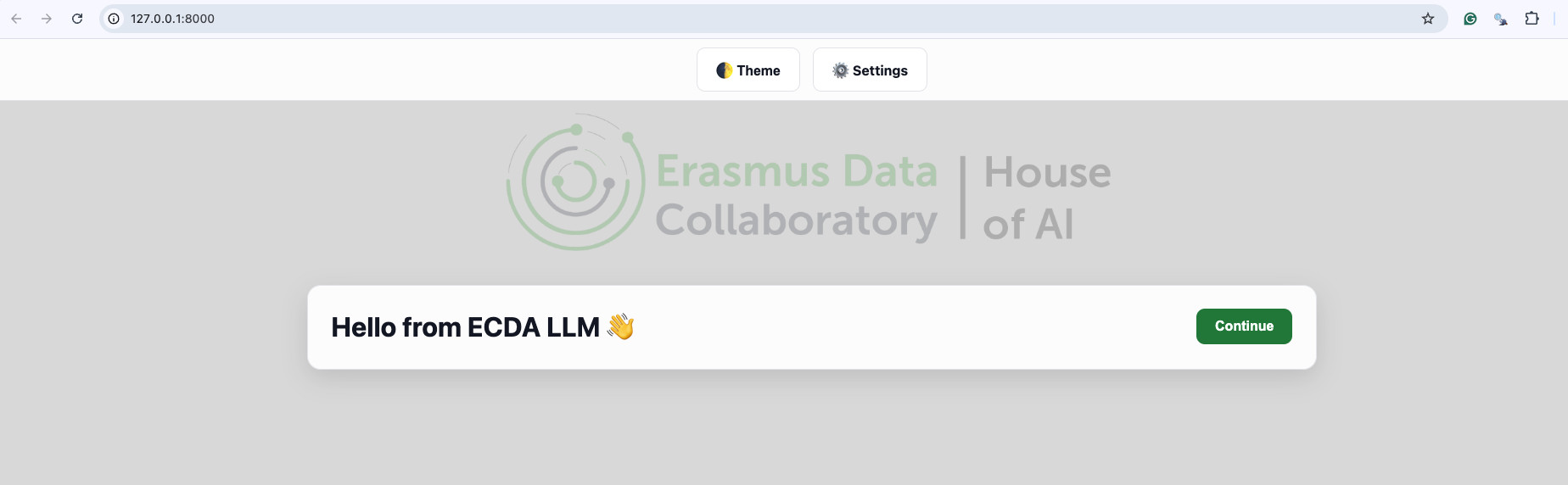
Step 1 Download: Open the “terminal” on your PC and type pip install ecdallm. This is where you give a command to the operating system to allow for the download of the chatbot to your PC.
Step 2 Install: Once this is done, type ecdallm in the terminal. The computer will then automatically open your default browser and bring you to the chatbot. Repeat step 2 every time you want to use your chatbot.
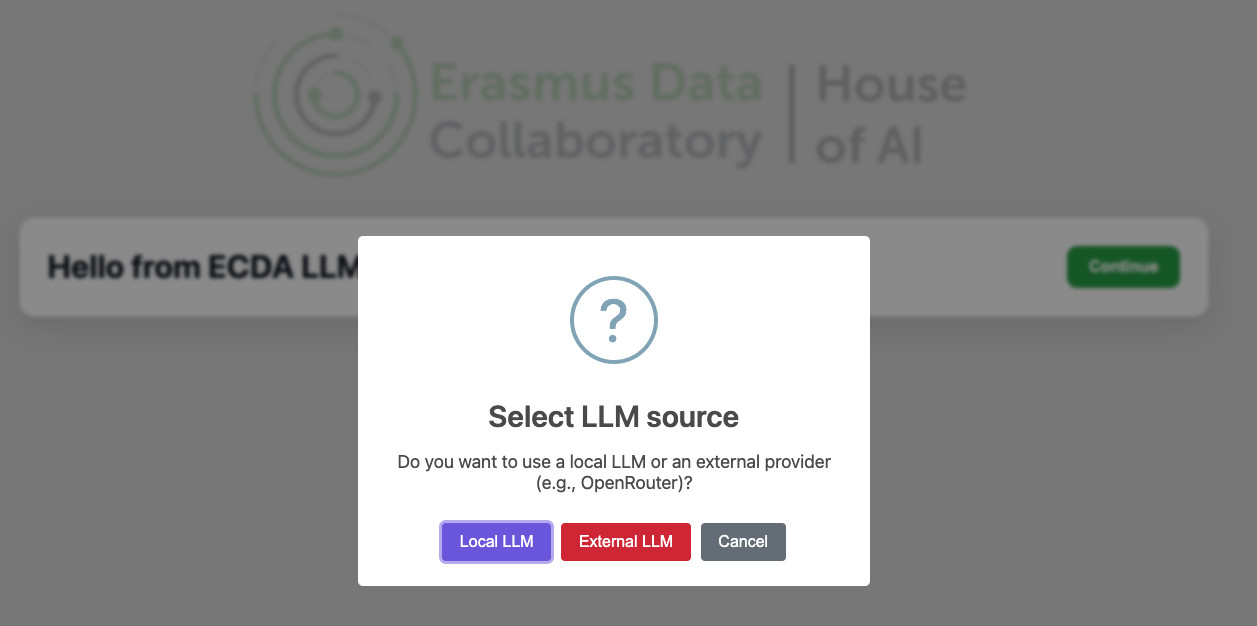 Option A: Local LLM: If you choose to run a local LLM, you will need to download LM Studio. In LM studio, download the LLM Model you prefer.
This allows you to run a local LLM on your own computer, ensuring maximum privacy and security. Once you downloaded that, you can press “Local LLM” then “Validate”. The chatbot will then connect and you can move on to Step 4.
Option A: Local LLM: If you choose to run a local LLM, you will need to download LM Studio. In LM studio, download the LLM Model you prefer.
This allows you to run a local LLM on your own computer, ensuring maximum privacy and security. Once you downloaded that, you can press “Local LLM” then “Validate”. The chatbot will then connect and you can move on to Step 4.Option B: External LLM: If you choose “External LLM” you will need to input your own personal API Key (An API key is a code that allows two software programs to communicate with each other). In this case, it allows the chatbot to connect to an external LLM. You can get an API key from various providers, such as OpenAI, Gemini, Claude etc. You need to make your account on the providers website and request an API key. Once you have your API key, input it in the chatbot and press “Validate”. The chatbot will then connect and you can move on to Step 4.
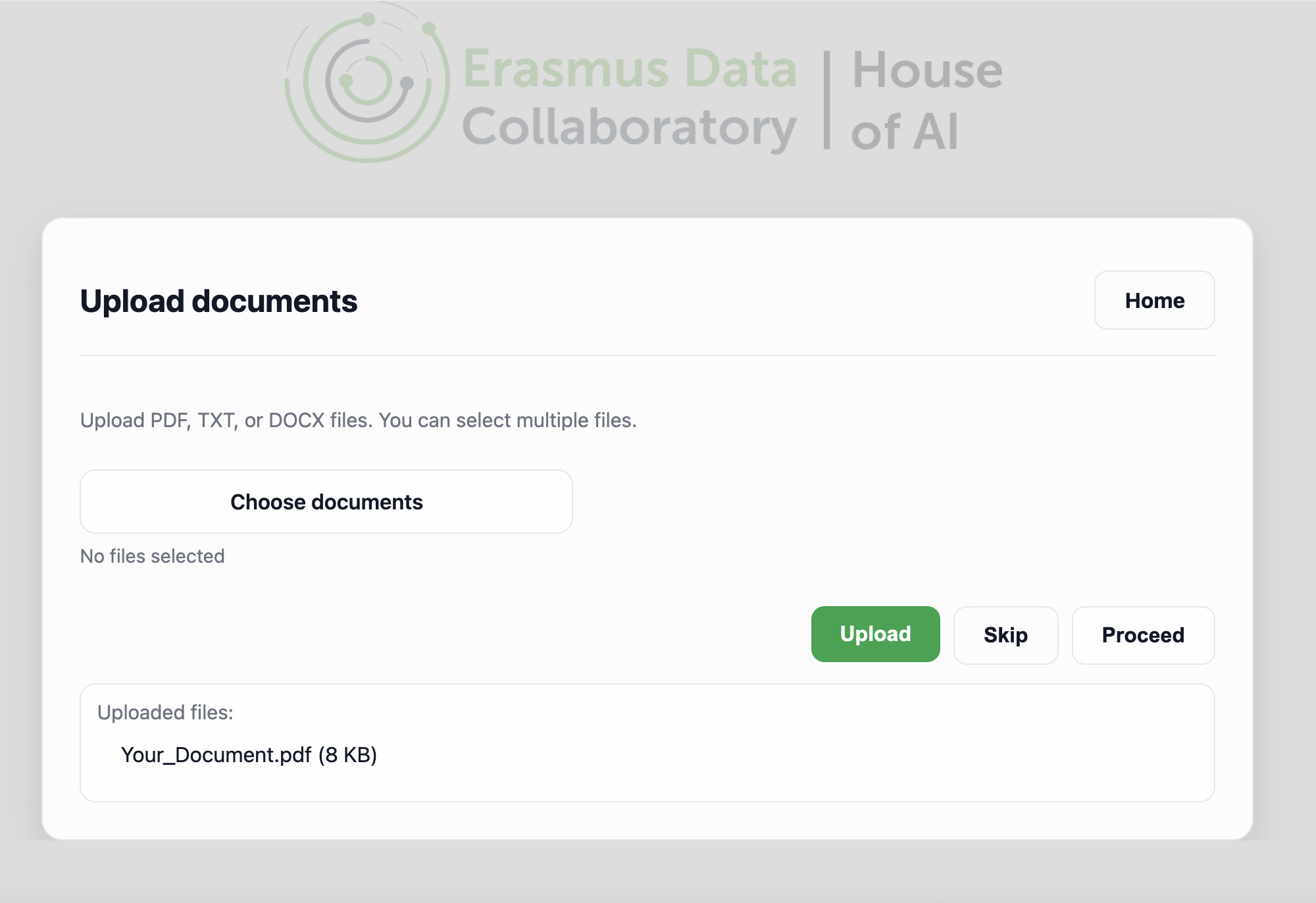
Step 4 Upload: Upload the documents you want to chat about.
 For more information, please contact us at admin@ecda.ai